

Building a wordpress website for small business calgary is one of the most impactful investments a local business owner can make in 2026. Whether you run a plumbing company in Bridgeland, a boutique fitness studio in Marda Loop, or a legal practice downtown, your website is often the first impression potential customers have of your business. Getting it right matters enormously, and the platform you choose sets the foundation for everything that follows.
This guide answers the most common questions Calgary small business owners ask when they’re ready to go online or upgrade an existing site. How much does a WordPress website actually cost? Which plugins are worth installing? How do you turn traffic into real customers? And is WordPress still the right choice when AI website builders are being heavily marketed? We’ve written this article to give you honest, practical answers without the sales fluff.
By the end, you’ll understand what it takes to build, launch, and maintain a WordPress website that genuinely supports your business goals, attracts local search traffic, and converts visitors into paying clients.
Key Takeaways
- WordPress powers over 43% of all websites globally and remains the most flexible platform for Calgary small businesses with long-term growth goals.
- The total cost of a professional WordPress website in Calgary typically ranges from $2,500 to $10,000+ depending on complexity, with ongoing maintenance costs of $100 to $300 per month.
- AI website builders like Wix and Squarespace are faster to set up but impose serious limitations on SEO, customisation, and scalability that can hurt your business over time.
- Essential plugins like Yoast SEO, WooCommerce, and WP Rocket directly impact your site’s visibility and performance in Google search results.
- Responsive, mobile-first design is non-negotiable in 2026, as over 60% of web traffic in Canada now comes from mobile devices.
- Local SEO strategies embedded in your WordPress setup can dramatically increase your visibility to Calgary customers searching for your services.
- A properly maintained WordPress website delivers measurable ROI through lead generation, reduced customer acquisition costs, and 24/7 business presence.
- Working with a Calgary-based WordPress agency gives you localised strategy, faster communication, and support that aligns with Alberta’s market.
Why WordPress Dominates for Calgary Small Businesses (Not AI Builders)

The rise of AI-powered website builders has been heavily marketed in recent years. Tools like Wix ADI, Squarespace AI, and various drag-and-drop platforms promise a professional-looking website in under an hour. For a Calgary small business owner who is short on time and budget, these pitches can be genuinely tempting. But there is an important difference between a website that looks functional and a website that actually works as a business tool.
WordPress is open-source software, meaning there are no artificial restrictions on what you can build, how you structure your content, or which third-party tools you integrate. When a plumber in Calgary wants to add a service-area landing page for every neighbourhood they cover, they can. When a restaurant owner wants to integrate online reservations, a PDF menu, and a custom event calendar, it is straightforward. AI builders frequently hit walls with these kinds of real-world business needs, forcing workarounds or expensive premium plan upgrades that still do not deliver full functionality.
Ownership and Control: Why It Matters
One of the most overlooked aspects of choosing a website platform is who actually owns your content and data. With WordPress, you own everything. Your files sit on hosting infrastructure you control, your content is exportable at any time, and you are not locked into a subscription that can disappear or triple in price. Platforms like Wix and Squarespace are subscription-based services. If they change their pricing, discontinue a feature, or shut down a plan tier, your business is affected with little recourse.
For Calgary businesses that are building long-term brand equity online, this ownership distinction matters considerably. Your website content, SEO rankings, and customer data are business assets. WordPress ensures those assets belong entirely to you.
SEO Flexibility That AI Builders Cannot Match
Search engine optimisation is where WordPress genuinely separates itself from AI builders. Google’s algorithm rewards websites with clean code, fast loading times, properly structured content, and comprehensive metadata control. WordPress gives you granular access to all of these elements. You can customise title tags and meta descriptions at the post level, implement schema markup for local business, control canonical URLs, and manage your XML sitemap precisely. Most AI builders offer a simplified version of these features or lock advanced SEO settings behind expensive plans. If your goal is to rank for searches like “electrician Calgary NW” or “custom wedding cakes Calgary,” WordPress is a significantly stronger foundation. Pairing it with professional SEO Services Calgary can accelerate those results considerably.
WordPress vs Other Platforms: The Calgary Small Business Comparison

Before committing to any platform, Calgary business owners deserve a clear, honest comparison. This is not about declaring one platform universally superior. It is about matching the right tool to your specific business needs.
WordPress vs Wix
Wix is popular because it is genuinely easy to use. Its drag-and-drop editor requires no technical knowledge, and you can have something presentable live within a day. For a sole proprietor who needs a basic online presence and has no plans to scale, Wix can work. However, once your business grows and you need e-commerce functionality, custom booking systems, membership areas, or deeper local SEO control, Wix begins to show its limitations. Migration away from Wix is also notoriously difficult because the platform is proprietary. Moving your content to WordPress later often means essentially rebuilding your site from scratch.
WordPress vs Shopify
Shopify is an excellent choice if your Calgary business is primarily e-commerce with physical or digital products as your core offering. Its inventory management, payment processing, and shipping integration are best-in-class. However, if your business is service-based and you only need a small shop component alongside service pages, a blog, and a booking form, a wordpress website for small business calgary with WooCommerce installed will give you more flexibility at a lower total cost. Shopify’s transaction fees and app costs add up quickly, often making it more expensive than a well-built WooCommerce store on WordPress. For businesses that need a full eCommerce Web Design solution with deep customisation, WordPress and WooCommerce is frequently the recommended path.
WordPress vs Squarespace
Squarespace excels at aesthetics. Its templates are genuinely beautiful, and it is a reasonable choice for photographers, artists, or consultants who need an elegant portfolio site. However, Squarespace’s blogging capabilities, SEO tools, and plugin ecosystem are significantly more limited than WordPress. For a Calgary business that plans to invest in content marketing, local SEO, and ongoing website growth, Squarespace will constrain that strategy over time.
Step-by-Step: Setting Up Your First WordPress Website Locally

Understanding the setup process helps you have more informed conversations with developers, manage your expectations around timelines, and appreciate where costs come from. Here is a practical walkthrough of what building a WordPress website actually involves.
Step 1: Choose Your Domain Name and Hosting
Your domain name is your web address. For Calgary businesses, a .ca domain is worth considering because it signals local credibility to Canadian users and can provide a minor SEO benefit for local searches. Choose a domain that matches your business name as closely as possible. Avoid hyphens, numbers, and unnecessarily long names.
Hosting is the server where your website files live. Not all hosting is equal. Shared hosting from providers like SiteGround, WP Engine, or Kinsta is appropriate for most small businesses. Expect to pay between $15 and $50 CAD per month for quality managed WordPress hosting. Cheap shared hosting at $3 to $5 per month exists but frequently leads to slow loading speeds and poor reliability, both of which damage your SEO and user experience.
Step 2: Install WordPress and Choose a Theme
Installing WordPress takes approximately five minutes through most hosting control panels using a one-click installer. The more significant decision is choosing your theme, which controls your site’s visual layout and baseline functionality. Premium themes from reputable developers like Divi, Astra, or GeneratePress cost between $60 and $250 CAD one-time and provide a professional foundation. Custom themes built by a developer offer complete design freedom but add to your overall project cost. For Calgary businesses wanting a site that stands out from competitors using the same off-the-shelf templates, investing in custom WordPress Development is a worthwhile consideration.
Step 3: Build Out Core Pages
Every Calgary small business website needs a minimum set of core pages. These include a home page that clearly communicates what you do and who you serve, a services or products page, an about page that builds trust, a contact page with your address and phone number, and a privacy policy page. Businesses in regulated industries or those serving consumers should also include terms of service. Each page should be optimised with a unique title tag, meta description, and relevant local keywords from the moment it goes live.
Step 4: Configure SEO and Analytics
Before launching, install Google Search Console and Google Analytics through a plugin like Site Kit by Google. Set up your XML sitemap and submit it to Google. Configure your SEO plugin settings to ensure your site is indexed and that no pages are accidentally set to noindex. These steps are foundational and take less than an hour but are frequently skipped by business owners who launch in a hurry.
WordPress Website Costs Broken Down (Hosting, Themes, Plugins, Maintenance)
One of the most common questions we hear from Calgary entrepreneurs is simply: what does this actually cost? The answer depends on your goals, the complexity of your site, and whether you build it yourself or hire professionals.
DIY WordPress Website Costs
If you are building the site yourself, your primary costs are hosting ($180 to $600 CAD per year), a premium theme ($60 to $250 CAD), premium plugins ($100 to $400 CAD per year), and your own time. A DIY site built carefully can cost $500 to $1,500 CAD in the first year. The trade-off is time investment, which for a busy small business owner often exceeds what they anticipated, and the risk of technical mistakes that can affect security or SEO.
Professional WordPress Development Costs in Calgary
A professionally built wordpress website for small business calgary from a local agency typically costs between $2,500 and $10,000 CAD depending on the scope. A five to ten page service business website with standard features might land in the $2,500 to $5,000 range. A site with custom functionality, a large product catalogue, booking integrations, or member areas will sit closer to $7,000 to $15,000+. These figures reflect the actual cost of skilled labour, strategic planning, and quality assurance, not inflated agency markups.
Ongoing Maintenance Costs
A WordPress website is not a one-time cost. It requires regular updates to the core software, themes, and plugins, security monitoring, backups, and periodic performance audits. Plan for $100 to $300 CAD per month if you hire an agency for ongoing Website Maintenance. This expense protects your investment and keeps your site functioning correctly as WordPress and its ecosystem evolve.
Essential WordPress Plugins Every Calgary Small Business Needs
Plugins extend WordPress functionality without requiring custom code. With over 59,000 free plugins available in the WordPress repository, knowing which ones actually matter saves you from plugin bloat that slows your site down.
SEO and Performance Plugins
Yoast SEO or Rank Math are the two leading SEO plugins for WordPress. Both guide you through optimising each page and post with keyword targets, readability scores, and technical SEO settings. For performance, WP Rocket is the gold standard caching plugin and typically improves page load times measurably. Smush or ShortPixel handles image compression automatically, reducing file sizes without visible quality loss. Together, these plugins form the performance and visibility foundation of your site.
Local Business and Contact Plugins
For Calgary businesses, displaying your location and contact information prominently is critical for both user experience and local SEO. WP Google Maps or Embeddings by MapBox lets you display an interactive map on your contact page. WPForms or Gravity Forms creates professional contact and quote request forms with conditional logic, spam protection, and email notifications. If your business takes appointments, Amelia or Bookly integrates booking calendars directly into your WordPress site, allowing customers to schedule without calling your office during business hours.
Security Plugins
WordPress security is a real concern because it is the most widely targeted CMS platform. Wordfence Security provides a firewall, malware scanner, and login protection. WP Activity Log tracks every change made to your site, which is particularly valuable if multiple team members have access. These plugins are not optional for a business taking its online presence seriously.
Converting Website Visitors into Customers: WordPress Best Practices
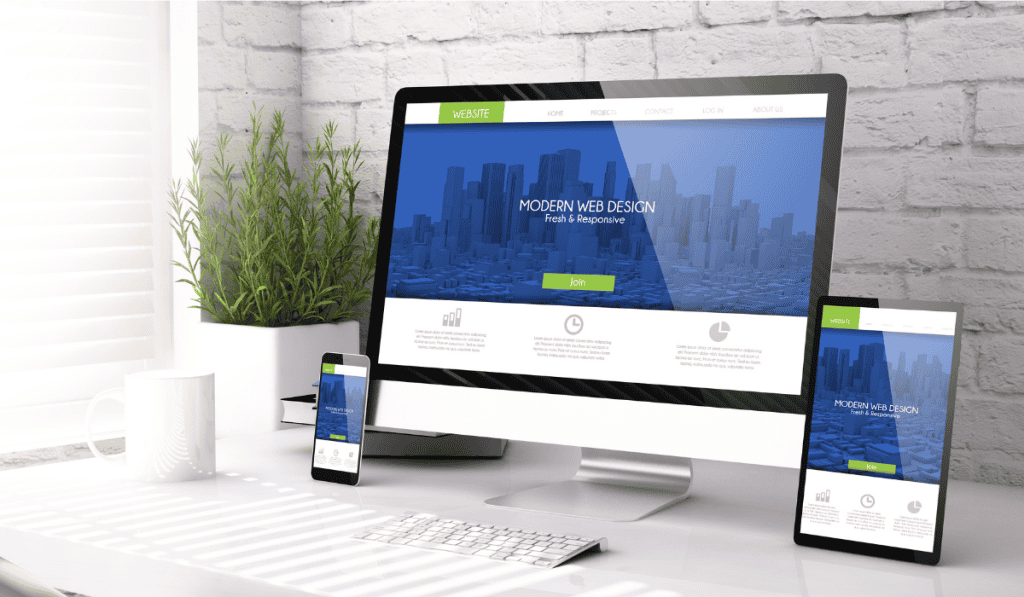
Attracting visitors to your site is only half the battle. The more important measure is how many of those visitors take a desired action: calling your business, filling out a contact form, making a purchase, or booking a consultation.
Responsive Design and Mobile Experience
In 2026, a site that performs poorly on mobile is a site that is losing customers. Google uses mobile-first indexing, meaning it primarily evaluates the mobile version of your site for ranking purposes. Every element of your WordPress site, from navigation menus to contact forms to image galleries, must work seamlessly on a smartphone. This is why investing in proper Responsive Web Design Calgary is not a luxury but a fundamental requirement for any business that wants to compete online.
Clear Calls to Action on Every Page
A common mistake Calgary small business websites make is presenting information without guiding the visitor toward a next step. Every page should have a clear, visible call to action. For a service business, this might be “Get a Free Quote” or “Call Us Today.” For a product business, it might be “Shop Now” or “View Our Catalogue.” These CTAs should appear above the fold on key pages, in your navigation header, and at the bottom of every service page. Do not assume visitors will find your contact page on their own.
Trust Signals and Social Proof
Calgary consumers, like buyers everywhere, look for evidence that you are trustworthy before making contact. Displaying Google reviews, industry certifications, association memberships, and client logos on your homepage significantly increases conversion rates. Video testimonials perform particularly well on service business websites. If your business is relatively new and does not yet have many reviews, prioritise getting them from early clients and integrating them into your site. This is also where consistent Calgary Branding Agency work pays off, because a cohesive, professional visual identity makes your credibility immediately visible.
Page Speed as a Conversion Factor
Research consistently shows that conversion rates drop significantly as page load time increases. A site that takes four seconds to load can lose up to 25% of visitors before they ever see your content. In WordPress, page speed is manageable with the right hosting, caching, image optimisation, and minimal plugin overhead. Regularly testing your site through Google PageSpeed Insights and addressing flagged issues is a habit that pays dividends in both SEO rankings and customer conversions.
Local Landing Pages for Calgary Neighbourhoods
If your business serves multiple areas of Calgary, creating dedicated landing pages for each neighbourhood or community can substantially increase your local search visibility. A cleaning company might create pages targeting Killarney, Tuscany, and McKenzie Towne specifically. Each page addresses the unique context of serving that community while incorporating the relevant local keyword. This strategy works because it aligns precisely with how Calgary residents search for local services.
Take the Next Step With Your Calgary WordPress Website
Building a high-performing website takes planning, the right platform, and execution that goes beyond choosing a pretty template. If you have read this far, you understand that a wordpress website for small business calgary is a serious business investment, not just a digital brochure. The returns come from getting the strategy, design, and technical foundation right from the beginning.
Clio Websites is a Calgary-based WordPress and web design agency that works exclusively with small and medium-sized businesses. We handle everything from initial strategy and design through to development, SEO integration, and ongoing maintenance. You get a team that understands the Calgary market and builds websites that are designed to convert local visitors into customers.
Book your free consultation with Clio Websites to talk through your project, get honest answers about costs and timelines, and find out what a professionally built WordPress website can do for your business.
